Eventsential
- 3.1
- Rating
- 50.00K
- Installs
- Free
- Price

 Analysis by App-foxy
When I look at an event app, I am less interested in a long feature list than in one practical question: does it make the day easier for the people attending? Eventsential is built around that official event companion role. Developed by Results Direct, it is an Events app intended to bring event information into a mobile setting instead of leaving attendees to search through scattered messages, documents, and web pages.
That focus makes it more useful in a specific situation than as a general-purpose planning tool. I would not treat it as a replacement for a full event-management platform, a personal calendar, or a messaging service. I see it as the app you open when an organization has prepared an event experience for it and you want the relevant material close at hand.
It is free, rated for Everyone, and available for devices running Android 9 or later. The app has been around since April 30, 2013, while its current version is 2026.v1.1. Its average rating is 3.2 from around forty ratings, with eight written reviews, and it has passed fifty thousand installs. Those figures suggest a specialized audience rather than a universally used consumer app, so the quality of the experience will depend heavily on whether the event you are attending has been set up properly.
You May Also Like

 Blood Strike: 2.5 Anniversary
Blood Strike’s Loadouts Turn Every Drop Into a Tactical Gamble
A close look at Blood Strike’s custom loadouts: how fast access to signature weapons reshapes its battle royale rhythm, rewards preparation, and narrows the gap between fights.

 Pandora - Music & Podcasts
Pandora’s Music Is Easy to Start, but Harder to Recover
Pandora’s strength is its low-effort path from a seed to a station. Its weak spot is how much confidence it asks you to place in connection, setup, and quiet recovery.

 8 Ball Pool
 Is Built on Rivalries, Rematches, and Routine
A close look at the rivalries, rematches, shared routines, and unanswered safety questions that turn a quick pool match into a persistent mobile community.

 Samsung Music
’s Quiet Strength Is Playing What You Already Own
Its reach comes less from spectacle than from dependable access to a personal library. That simplicity is both the app’s strongest retention engine and its ceiling.

 AccuWeather: Weather Radar
AccuWeather Review: A Quick, Clear Forecast for Everyday Decisions
For everyday plans, the best forecast is the one you can understand quickly. AccuWeather makes rain timing, radar, and local conditions easy to act on, with a few trade-offs.

 Hill Climb Racing
Why Hill Climb Racing Still Turns Crashes Into One More Run
A tiny car, a bumpy hill and one more upgrade: Hill Climb Racing keeps resurfacing because its simple chaos makes every near-miss feel personal.
More From Our News Desk



One event companion instead of a pile of separate information
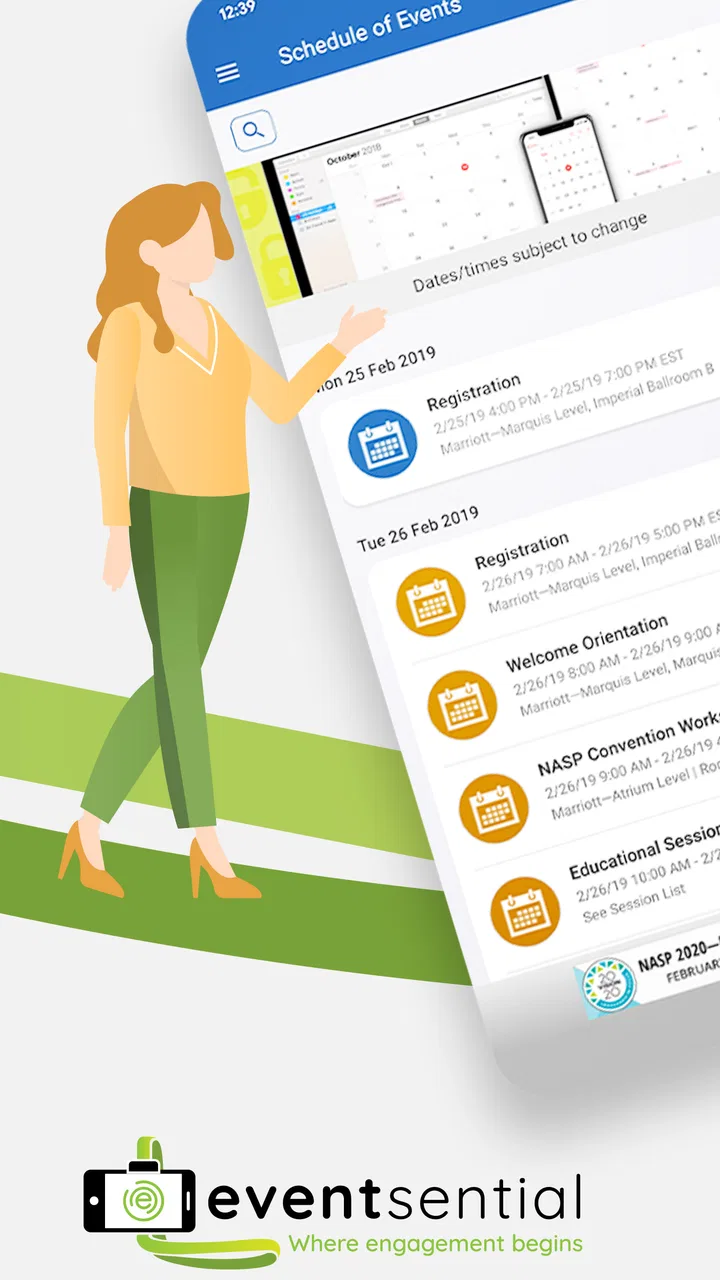
The central capability is straightforward: Eventsential serves as the official mobile app for events. In practical terms, that means its value comes from gathering the event’s useful material in one place for attendees. Rather than treating the app as an open-ended social network or a general discovery service, I would approach it as a digital front door for a particular conference, meeting, gathering, or organized occasion.
That distinction matters. Many event attendees already have a calendar, email, browser, and note-taking app. The problem is not always a lack of tools; it is that event details become spread across all of them. One message may contain the venue information, another may contain an updated schedule, and a separate document may hold speaker or session details. An official event app can reduce that mental switching, provided the organizer has placed the relevant content there.
The benefit is therefore less about a single flashy function and more about context. When I open an event-specific app, I expect the information to be organized around the occasion rather than around my entire digital life. That can make a difference when I am moving between sessions, checking what happens next, or trying to remember where a particular part of the event is taking place.
The strongest idea here is having event information available at the moment it is needed. That sounds modest, but it addresses a real source of friction. A mobile event companion can be quicker to consult than a long email thread, especially when I am already walking through a busy venue or trying to make a decision between two activities.
What the official-app approach changes
Using an official app changes the way I think about reliability and convenience. With ordinary alternatives, I would usually build my own system: save a confirmation email, copy important times into my calendar, bookmark a web page, and perhaps take screenshots before leaving home. That approach gives me control, but it also makes me responsible for keeping everything current.
Eventsential places the emphasis on a shared event destination. If the organizers maintain the event content, I have a better chance of finding the same information that other attendees are using. This is particularly useful when an event is too detailed for a single invitation but too temporary to justify setting up a complicated personal workflow.
There is also a psychological advantage. A dedicated event app tells me that the information belongs to one occasion. I do not have to remember which email subject line contained the schedule or which browser tab held the event page. That reduction in searching is the real effect of the app’s main capability.
At the same time, I would not assume that installing it automatically gives me a complete event experience. The app is a container and access point for event material; its usefulness depends on the event configuration and the information made available through it. That is an important expectation to set before downloading it.
How I would use it during a real event day
Imagine I am attending a professional gathering in an unfamiliar venue. Before leaving, I would install the app, open the relevant event area, and look through the information that matters most to me. I would identify the parts of the day I do not want to miss, note the location details I may need while traveling, and decide which information deserves a quick reference later.
Once I arrive, the app becomes a reference point rather than something I need to study continuously. I might check it while standing outside a room, between activities, or during a short break. The important workflow is not “use the app for everything”; it is “use one known place when I need event-specific information.” That makes it more practical than repeatedly searching through general apps.
A useful habit would be to review the event content before the day becomes busy. If I wait until I am already late, distracted, or dealing with poor reception, any mobile event app becomes less comfortable to use. I would also keep the essential time and location details available in another form when they are critical, because depending on a single app for every urgent detail is rarely wise.
For a multi-part event, I would use the app as a decision aid. Instead of trying to remember the entire schedule, I would check what is relevant to the next hour and then return to the broader event information when I have time. This keeps the experience focused and avoids turning the phone into another source of overload.
A practical workflow for attendees
My preferred approach would be simple:
Open the event companion before traveling and become familiar with its layout.
Find the information I will need repeatedly, such as the day’s structure or the location of activities.
Use the app for event context, while keeping personal reminders in my normal calendar if I need alerts outside the event experience.
Check for the latest event information during natural breaks rather than constantly refreshing the app.
Keep a backup note for any detail that would cause a serious problem if I could not access it quickly.
This workflow highlights a subtle trade-off. Eventsential can reduce the amount of manual organization I do, but it does not necessarily replace my existing tools. I may still want my calendar for travel time, my notes for personal observations, and ordinary communication apps for coordinating with friends or colleagues. The event app works best when it becomes the event-specific layer in that setup.
Another useful insight is that a dedicated event app can help separate official information from personal interpretation. My notes may contain guesses, changes, or reminders written for myself. The event app is where I would return to check the event’s own presentation of the information. That separation can prevent a hurried personal note from becoming the only version I trust.
Where it fits beside familiar alternatives
The usual alternative is a mobile website. A browser page can be perfectly adequate for a small event, especially when I only need to read one schedule or confirm one address. A website may also be preferable if I do not want another app on my phone. Eventsential makes more sense when the event is substantial enough that a dedicated mobile home is easier to revisit than a web page buried among open tabs.
Email is another common substitute. Email is good for announcements and confirmations, but it is not always comfortable for browsing event information while moving around. Important details can be separated across messages, and the newest message may not be the easiest one to find. An official app has a clearer event-centered purpose, although it still should not be treated as a guarantee that every update will be more convenient than email.
Calendar apps are excellent for appointments, but they are not designed to hold the full context of an event. I can place a session on my calendar, yet that does not necessarily give me the surrounding information I might need. I see Eventsential as complementary here: the calendar tells me what I planned to attend, while the event app gives me the event’s own reference point.
For small informal gatherings, these advantages may not justify downloading anything. A group message or a shared document may be faster and more familiar. The dedicated approach becomes more worthwhile as the event becomes harder to summarize in one message and as attendees need to consult the information more than once.
The best scenario: a busy event with information to revisit
The clearest use case is an organized event where attendees need more than a starting time and an address. I would be most likely to recommend it when the day has several moving parts and I expect to consult event information repeatedly. In that setting, the official-app model can save small amounts of time that add up throughout the day.
Consider an attendee arriving early, trying to orient themselves, and deciding how to use a gap between activities. Without a dedicated event destination, they may search old messages, ask another attendee, or open several browser tabs. With Eventsential available for that event, the first instinct can be to check the event companion. That does not eliminate every uncertainty, but it gives the attendee a sensible first place to look.
The app could also be useful for someone who does not want to print a full program or carry a folder of event papers. A phone is already part of most people’s travel routine, so keeping the event material in the same device can feel more natural. I especially like this approach for attendees who prefer to make decisions during the day instead of building a rigid plan in advance.
There is a less obvious benefit for people attending alone. When I am not traveling with someone who can answer a quick question, having a central event reference reduces the need to interrupt strangers or staff for every small detail. It does not replace human assistance when something is genuinely unclear, but it can handle the routine checks independently.
It may also help attendees who arrive after the event has started. A late arrival often means missing an orientation or introduction. A dedicated event app can provide a way to regain context without asking someone to repeat everything. That is a practical advantage over relying only on a welcome message that I may have overlooked earlier.
Who should think twice before relying on it
I would be cautious about making this the only tool for an event where timing is critical or where I need guaranteed access to every detail. The app’s role is tied to the event content made available through it, so I would not assume it can solve problems that belong to the organizer, venue, or network connection. For essential travel arrangements, accessibility needs, or last-minute changes, I would keep the relevant confirmation and contact information in a second place.
I also would not recommend it as a general event organizer for personal plans. If I am arranging a birthday dinner, a small trip, or a casual meetup, a calendar invite and group chat are likely simpler. Eventsential is more naturally suited to the attendee side of an organized event than to someone who wants to build a complete private event from scratch.
People who dislike installing an app for a single occasion may prefer a browser-based event page, when one is available. That is a fair objection. The dedicated-app experience needs to repay the small commitment of installation by making repeated event reference easier. If I only need one piece of information once, an ordinary web page can be the more efficient choice.
Trade-offs that affect the everyday experience
The first trade-off is specialization. A focused event app can feel cleaner than a general communication tool because it is centered on one occasion. However, that same focus means it has limited value outside the event context. I would not expect it to become a daily app after the gathering ends.
The second trade-off is dependence on preparation. The organizer’s work matters greatly. If the event material is well arranged, the app can reduce searching and help attendees feel oriented. If the content is incomplete, difficult to navigate, or not kept current, the app may simply become another place I have to check. That is why I would judge it as an event companion rather than as an independent source of value.
The third trade-off is duplication. Even when the app is useful, I may still need my calendar, email, maps, notes, and messaging tools. Some readers may see that as a weakness because they want one app to handle everything. I see it differently: the app can be valuable without replacing every other tool, but only if its event-specific information is easier to consult than the alternatives.
The public reception also calls for realistic expectations. With an average rating of 3.2, the app clearly has room to improve from a user-satisfaction perspective. The rating is based on a relatively small pool, so I would not use it as a complete verdict, but I would treat it as a reason to test the app before the event rather than waiting until the busiest moment.
That early test is one of my strongest recommendations. I would open the app at home, confirm that I can reach the intended event content, and learn where the information is located. This is not busywork. It reveals whether the app will be comfortable for me before I am standing in a crowded venue with limited attention.
I would also avoid assuming that the newest version alone changes the nature of the product. The current version, 2026.v1.1, indicates that the app is maintained in a versioned form, but the practical question for me remains whether it serves the specific event I am attending. Version information is useful for compatibility, not a substitute for checking the actual event experience.
Small habits that make the app more useful
First, I would separate “information I need to browse” from “information I need to remember.” The app is a good place to browse event context, while a personal reminder may be better for a departure time or a commitment I cannot miss. This prevents me from expecting the event app to behave like an alarm system.
Second, I would check the app at transition points. Arriving, finishing a session, taking a meal break, and preparing to leave are natural moments to review what comes next. This is more efficient than repeatedly opening it without a specific question.
Third, I would make a personal backup of the few details that matter most. I do not mean copying the entire event. I mean keeping only the information that would cause real trouble if I could not reach it immediately. That approach preserves the convenience of the app without turning convenience into dependence.
Finally, I would use the app to reduce unnecessary questions, not to avoid all human contact. If the venue layout or event instruction is unclear, staff remain the right source of help. A mobile companion should support the attendee’s judgment, not encourage them to keep searching a screen when a direct answer is available nearby.
Who gains the most from this focused event companion
Eventsential is most appealing to attendees who regularly participate in organized events and want one official place to consult during the day. It is especially suitable for people who find email threads hard to manage, who prefer digital programs, or who like to adjust their plans as an event unfolds.
It can also suit professionals attending alone, visitors unfamiliar with the venue, and anyone who wants to avoid carrying printed material. The value is not that the app transforms the event; it is that it can remove repeated small searches. Those small improvements matter more when the event is long, busy, or information-heavy.
On the other hand, I would steer casual users toward simpler tools when the event is small and easy to explain. If all I need is a time, place, and one contact, downloading a dedicated app may add more steps than it removes. I would also choose a general calendar or group-chat workflow when I am the person organizing a private gathering rather than attending an established event.
The Everyone content rating makes the app broadly approachable from an age-classification standpoint, and its free price removes a financial barrier to trying it. Those points make testing it low-risk, but they do not change the main condition: the event itself needs to be represented in the app for the download to be worthwhile.
My overall view is positive but deliberately narrow. I like the idea of an official mobile home for event information, and I can see the benefit during a crowded day when searching through messages becomes annoying. I would recommend Eventsential to a friend when their event specifically uses it and has enough moving parts to justify a dedicated companion.
I would not recommend installing it blindly as a universal planning app. Its strength is situational, and that is also its limitation. When the event content is well prepared, it can make reference quicker and keep the occasion’s information together. When the event is simple, a browser, calendar, or message may be better. For attendees who want a focused event reference rather than another all-purpose app, it is worth trying before the day begins.
FAQs for Eventsential
01What platforms is Eventsential available on?
Eventsential is available for both Android and iOS platforms. Users can download the app from the Google Play Store for Android devices and the Apple App Store for iOS devices. This ensures that users can access event information and features seamlessly on the device of their choice.
02What features does Eventsential offer for event management?
Eventsential provides a range of features designed to enhance event management. Users can access event schedules, create personalized agendas, receive real-time updates, and network with other attendees. The app also includes interactive maps, exhibitor listings, and social media integration to enhance the event experience.
03Is an internet connection required to use Eventsential?
While an internet connection is required for initial setup and to receive real-time updates, Eventsential offers offline access for certain features. Users can view downloaded event schedules and agendas without connectivity, making it convenient for use in areas with limited internet access.
04How secure is my personal information on Eventsential?
Eventsential prioritizes user privacy and data security. The app uses encryption protocols to protect personal information. Additionally, users can choose what data they share and with whom, ensuring control over their information. It's recommended to review the app’s privacy policy for more details on data protection.
05Can I customize my event experience with Eventsential?
Yes, Eventsential allows users to personalize their event experience. You can create customized agendas, set reminders for specific sessions, and engage with other attendees through the app’s networking features. This customization ensures that users can tailor the app to meet their specific needs and preferences.
Pros
- User-friendly interface with intuitive navigation.
- Seamless integration with calendar tools.
- Real-time updates keep users informed.
- Customizable event schedules and alerts.
- Supports multiple event types and sizes.
Cons
- Limited offline functionality.
- Occasional sync issues with some devices.
- Customization options can be overwhelming.
- Not all features are available on free version.
- Requires stable internet for optimal use.

Eventsential
Gallery